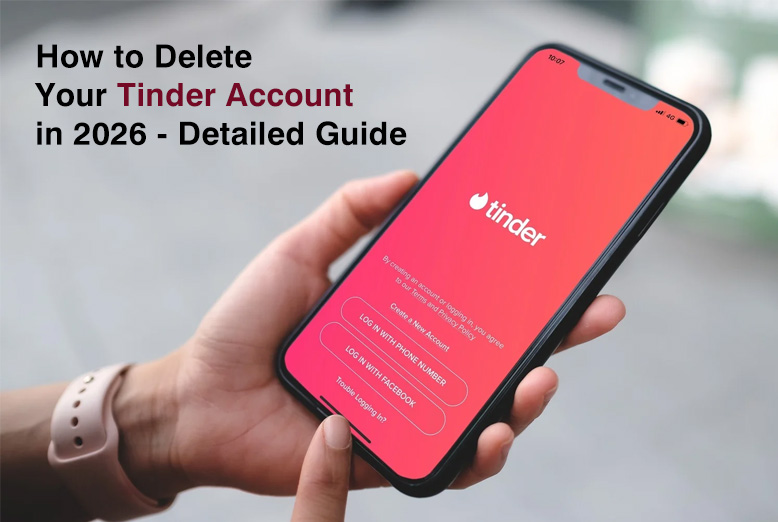
Many people are dating online, with several trying to find friends and love on the apps. Seventy-five million Tinder users and 30 billion successful matches lead among all. Nevertheless, there are occasions when you need to delete your account from the portal, too. If you are no longer interested or concerned about your data, we will guide you to erase your Tinder account from any device.
A Quick Guide to Deleting Your Tinder Account
Deactivating your Tinder account is easy for anyone! Below, we provide instructions for deleting your Tinder account using the mobile app.
- Log in to the Tinder app.
- Click on the profile icon at the lower-right part of the screen.
- Navigate to the “Settings” menu.
- Scroll to the bottom.
- Click on “Delete account.”
- On the next page, click the “Delete my account”.
- Give reasons for your desire to delete your account.
- Lastly, click the “Delete my account” button.
You may also remove your Tinder account on a browser by following the procedures outlined above:
If you continue to use Tinder, you must ensure complete security and privacy. Use a premium VPN service like ExtremeVPN to hide your sensitive information, including your IP address and location, from third parties and prying eyes.
How to Delete Your Tinder Account – Detailed Walk-through
You may remove your Tinder account via the mobile app or online browser. To terminate your Tinder account on different devices and platforms, follow these steps:
How to Uninstall Tinder on an iOS or Android Device
Whether you have an iPhone or an Android smartphone, the method for effectively canceling your Tinder account is the same.
On iOS and Android, follow these steps to remove your Tinder account:
- Start the Tinder app.
- Now, click the profile symbol in the lower right corner of your screen.
- To access the Settings menu, tap the gear symbol to the right of the display image.
- Scroll to the bottom of the options menu to find “Delete account.
- Select Delete account.
- Instead of deleting your Tinder, select Pause My account to hide your findings. However, if you want to deactivate your account, choose “Delete my account permanently.
- Tinder will ask you to explain why you wish to cancel your account. You can pick any listed reasons or “OTHER” to specify your explanation.
- Tinder will prompt you to confirm if you want to continue the process. When you click ‘Delete my account,’ you permanently destroy your Tinder account.
Using a Web Browser to Delete a Tinder Account
On a web browser, follow these steps to remove your Tinder account:
- Open your web browser and sign in to your Tinder account.
- Tap the profile symbol in the upper left corner of your screen. You should be able to view your display photo and name.
- Scroll down the left-hand menu on your screen.
- Select “Delete Account.”
- When you see the “Hide your account” and “Delete your account” choices, select “Delete my account.”
- In the final step, confirm your decision.
How Long Does Your Tinder Stay Active After You Delete It?
Deactivating the Tinder app from your phone or ceasing to use your account does not delete your profile.” Instead, because you’re no longer active, the frequency with which you appear in people’s searches decreases. If your account is inactive for more than seven days, your profile will become invisible.
However, if you deactivate your account permanently, Tinder will completely wipe your account. It is difficult to retrieve since you must register a new account to return to Tinder.
Disconnecting a Tinder Account from Your Facebook
Tinder asks you to join your Facebook account while opening an account. It is to confirm your information and assist you in creating a complete profile. You may, however, unlink your Tinder account from Facebook by following these steps:
- Log in to your Facebook account.
- In the top right corner, tap the arrow down or three horizontal lines symbol (depending on your device).
- Choose “Settings & Privacy.”
- Select “Settings.”
- Select “Apps and Websites.”
- Find Tinder in the queue and click the box next to it.
- Tap “Remove” to remove it from Facebook.
How to Temporarily Hide your Tinder Profile
If you don’t want to erase your Tinder account, you may conceal it temporarily. You only need to turn off the “Discovery” option. To hide your Tinder profile, follow the instructions below:
- To launch your social application, click the Tinder symbol.
- Tap the profile icon to access your profile.
- Select Settings.
- Deactivate the Show Me on Tinder option.
Can You Recover a Deleted Tinder Account?
Certainly not! There is no turning back once you cancel your Tinder account. Unlike other sites, Tinder provides users a grace period if they change their minds.
While retrieving a deleted Tinder account is impossible, you may quickly establish a new one by entering your information and uploading a photo to use the app again. You must, however, start from the beginning because you cannot return your previous matches.
Why Should You Remove Tinder?
Scammers and hackers abound in cyberspace’s nooks and crannies, not to mention online dating. While some individuals are truly seeking connections and friendships, others are cybercriminals seeking victims. Here are some of Tinder’s cyber threat activities:
1. Catfishing
Cybercriminals imitate individuals, tricking their victims into thinking they are someone else. They frequently take another user’s personal information and establish a bogus account. Catfishing is suspected when a person’s communication style and profile seem dubious or improbable.
These con artists frequently persuade their victims to buy presents, send money, or click on malicious websites. They may even get victims to provide racy or revealing images, which they may later use to blackmail or create another phony account.
2. Bots for Tinder
Hackers create Tinder bots with fake profiles, much like catfishing. Although Tinder bots require little maintenance, hackers may use them to obtain several victims daily. “You can spot a bot by its polished profile, speedy replies, and unrelated responses.”
Hackers also use Tinder bots to entice victims to wire money, click on dubious links, or send lewd photographs. They cease messaging you when you stop communicating with the bots.
3. Phishing
Phishing is very common on Tinder. Hackers typically examine users’ profiles for contact information before sending an email requesting them to confirm their account information. They insert harmful links into unwary recipients’ emails. They may even ask you to verify your payment details, which Tinder will never ask free members.
Downloading Tinder Data
Tinder stores your data for three months, according to its terms and conditions, and it may use the information for advertising or share it with third parties. It can share your personal information with up to 45 businesses, most of which are Tinder’s parent corporations. Because these third parties do not have sophisticated privacy practices, there is a danger of a future breach.
Over the years, there have been reports of data breaches, such as the photo hack in 2018, illicit data sales in 2020, and a Facebook profile leak in 2017. If you want to know what data Tinder has collected from you, you should do it before canceling your account, as deleting the report makes it hard to access. Here’s how you can get your Tinder data:
- Using a browser, locate Tinder’s “Download My Data” feature.
- Please sign in to your account.
- Enter the email address where you want the data link sent.
- Check your email frequently since the connection may arrive within 2-4 days and expire within 24 hours.
- When you get the link, you may browse the HTML file or use a JSON editor to open your Tinder data.
Tinder suggests using a web browser to view data from the ‘Download My Data’ option, even though the app claims you can do it directly.
The Guardian published a story in 2017 that revealed how much personal data Tinder gathers from users, including their location, photographs, and profile links.
Other Ways to Keep Your Data Private on Tinder
You must passcode your data on Tinder to ensure that your information is private. It is essential to avoid associating social media accounts with your Tinder account and also ensure that you employ different passwords for other online services.
Go for using two-factor authentication to strengthen the security of your passwords and accounts, always changing your passwords periodically, and combining different characters to create passwords. It’s because longer passwords are usually stronger since it is more difficult to predict or break.
Utilize an encrypted password manager for safety reasons. It is software that stores all your passwords in an encrypted database. You don’t have the risk of losing them.
Despite this, individuals should use a dedicated password manager instead of relying solely on browser-based password storage. While modern browsers offer built-in password management features, dedicated password managers typically provide stronger security controls and encryption. If privacy is a priority, consider using one of the best privacy browsers available today, as many include enhanced tracking protection, fingerprinting defenses, and security features designed to reduce your online exposure.
A VPN may encrypt or protect your data. ExtremeVPN, ExpressVPN, and NordVPN are VPN services that can help users prevent third-party trackers and keep their location private.
Conclusion
Although there are advantages to having a Tinder account, you may opt to deactivate it for various reasons. Perhaps you’ve discovered what you were looking for or are sick of hackers’ antics. In any event, if you erase your account, there is no turning back. Also, although deleting your Tinder account is straightforward, canceling your membership is optional.
FAQs
Is it true that removing the Tinder app also deletes my profile?
Removing the Tinder app from your smartphone does not release your profile, matches, messages, or likes. If you want to leave the Tinder app, you must first erase your Tinder account.
Can I still see my messages and matches after deleting my Tinder account?
Once you delete your Tinder account, you can no longer access it and its messages and matches. Consider saving important contact information and conversations before deleting your account.
When I remove my Tinder account, does my subscription end?
No. Deleting your account does not immediately terminate your Tinder membership. You must cancel your membership individually through the App Store or Google Play Store.
What if, after removing it, I want to start over with Tinder?
After deactivating your Tinder account, you cannot restart it. Make a new Tinder account if you wish to use it again.